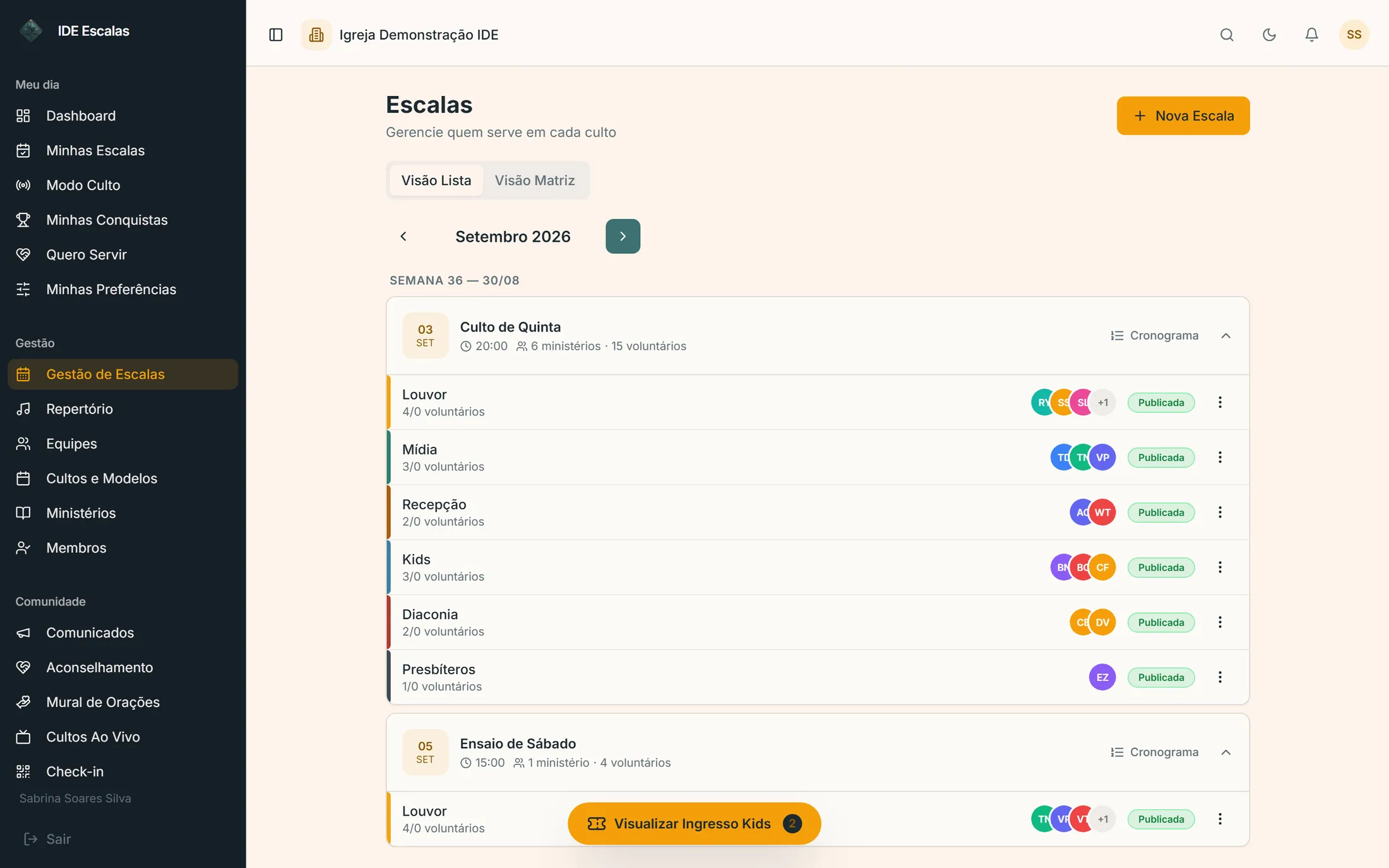
The service schedule for every ministry on a single screen
Each service says which team it needs; you fill in the whole month on one grid, build the order of service with the time for each segment and track who has already confirmed.
Worship, door, sound and sermon, all in one place.
The team for each service
Sunday night needs two at the door, one on sound and the full band. Each service keeps the team it needs, and the grid shows what's missing.
The month on a single grid
The month's ministries and services on the same screen, with how many times each person has been scheduled and an alert when someone is overloaded.
Weekly, biweekly or monthly
Wednesday service every week, youth service every 15 days, Communion on the first Sunday of the month: each with its own recurrence.
Nobody in two places
Whoever is already serving on worship can't also serve on greeters at the same time: the system blocks it on save, and only leadership can approve an exception.
The order of service, timed
Opening, worship, prayer, announcements, offering and sermon, each segment with a duration and a person responsible. You can copy it from the previous service and run it in Service Mode.
Confirmation and reminder
Each volunteer confirms in the app with one tap and gets reminders 3 days, 1 day and 1 hour before the service.
Real screens
See how it looks in the system
app.ideescalas.com/escalas
swipe the screen sideways →IDE Escalas screens with demo data.
Questions
How to build a service schedule
In IDE Escalas, the service schedule brings together every ministry for each service: each service keeps the team it needs, leadership fills in the month on a single grid and builds the order of service with the duration and the person responsible for each segment. Volunteers confirm in the app and get reminders 3 days, 1 day and 1 hour before, and the same person isn't scheduled in two ministries at the same time.
Set up your recurring services — Sunday, Wednesday, Communion on the first Sunday — and the team each one needs. On the month planning screen, fill in ministries and services on a single grid; the system shows how many times each person has already been scheduled. On paid plans, automatic rotation suggests the schedule and you just fine-tune it before publishing.
Yes. The service plan has opening, worship, prayer, announcements, offering, sermon, video, ministry time and closing segments, each with a duration and a person responsible, and it can be copied from the previous service. In Service Mode, whoever leads follows the time of each segment.
When you save, IDE Escalas warns that the person is already scheduled at that time and won't let it through without confirmation. If it's on purpose, leadership approves the exception.
Yes, free and with no sign-up: the IDE Escalas church schedule template builds the month's grid with the real dates of your service days and downloads it as Excel or PDF.
For up to 10 volunteers and 2 ministries, it's free forever: manual scheduling, setlists and the volunteer app. Every sign-up starts with 14 days with everything unlocked, no credit card; after that, the church stays on the free plan or picks a paid plan by team size, with no lock-in.