Church management software: schedules, Kids, small groups and members in one place
Leadership organizes in the browser; volunteers, parents and small group leaders use the app on their phones. Start with scheduling, for free, and turn on the rest when the church needs it.
Ministries with their own positions, recurring services and the whole month on one grid. Volunteers confirm in the app with one tap and ask for a swap without putting anyone on the spot.
Automatic rotation and replacement
On paid plans, the system spreads out the schedule, prioritizing whoever has served the least and, if someone declines, invites the next in line with a deadline to reply.
Kids ministry with QR
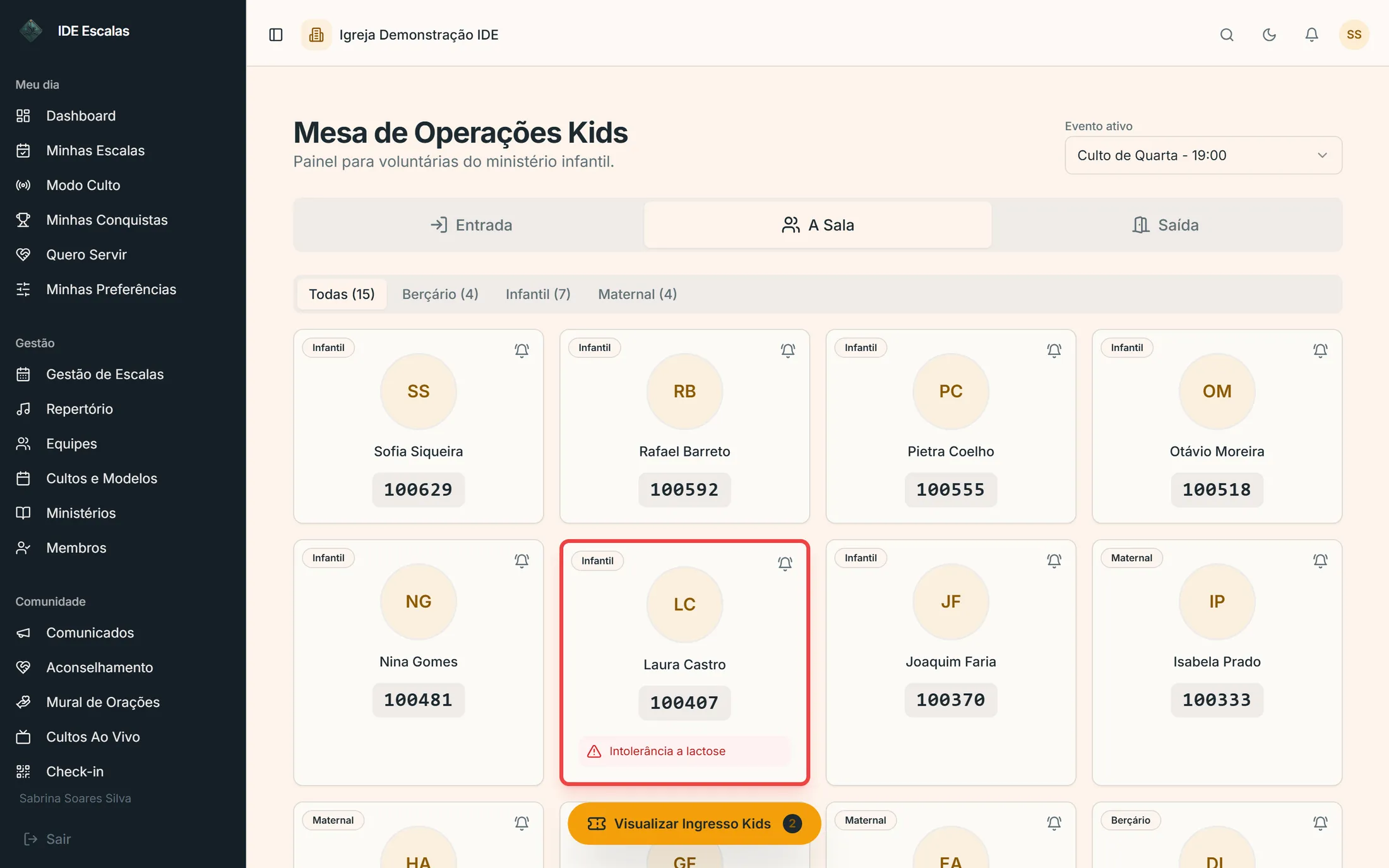
Check-in at the desk, a QR ticket in the guardian's app and pickup verified by QR or a short code, with a photo of who's allowed to pick up. In the Full Management line.
Small groups and Sunday school classes
The leader confirms the meeting, attendance comes in by QR or by list — whoever doesn't have a phone still gets counted — and attendance is tracked per person. In the Full Management line.
Members and pastoral care
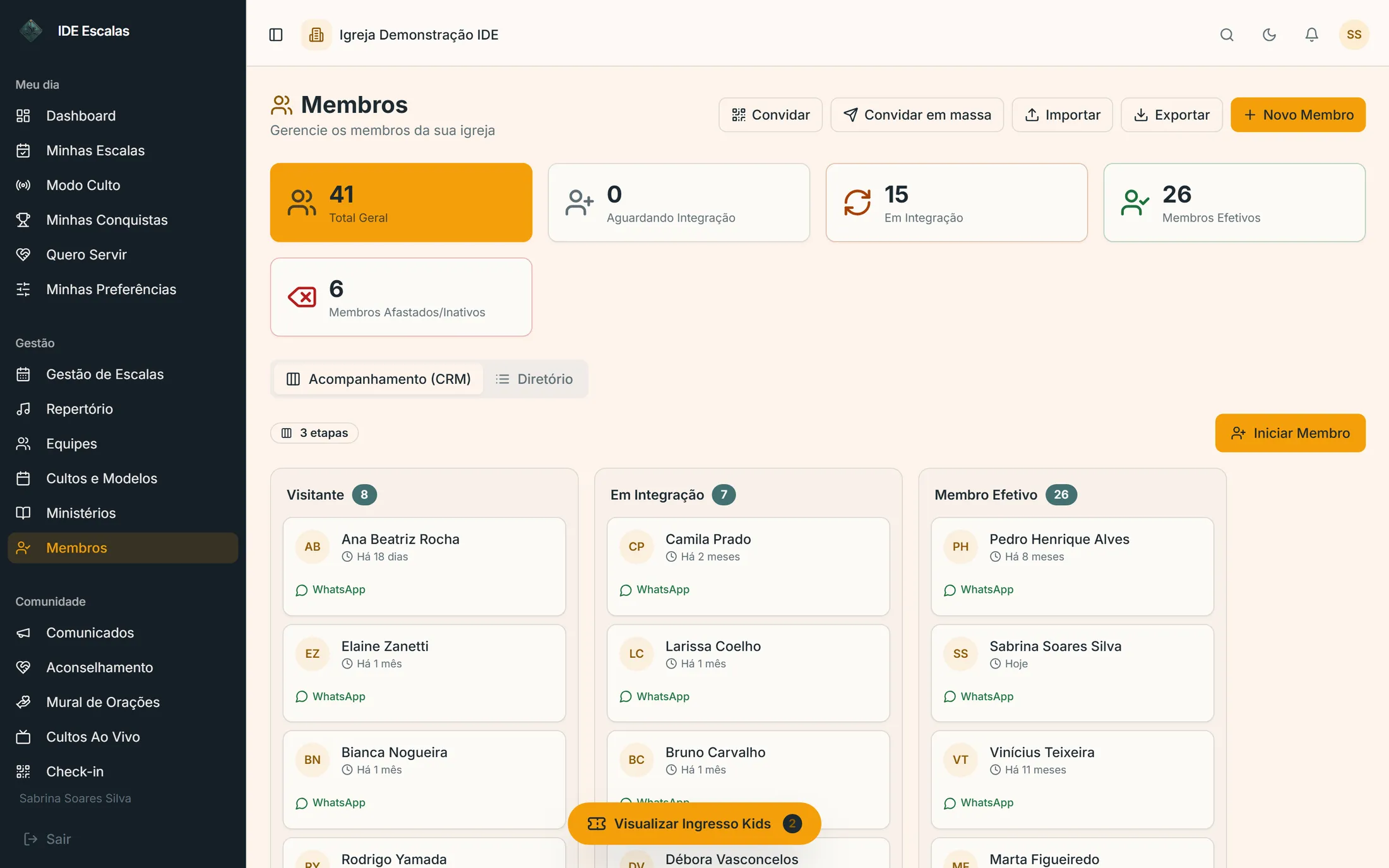
From guest to member in one funnel, a prayer request wall with screening and counseling booked by the person themselves. In the Full Management line.
Order of service
Opening, worship, prayer, announcements, offering and sermon, each segment with a duration and a person responsible. In Service Mode, whoever leads sees the clock running.
Parking
The usher looks up the license plate and alerts the owner through the app — headlights on, window down, car needs moving — and sees the reply right away. In the Full Management line.
More than one campus
On the larger Full Management plans, up to 3 or up to 6 campuses under the same account.
Real screens
See how it looks in the system
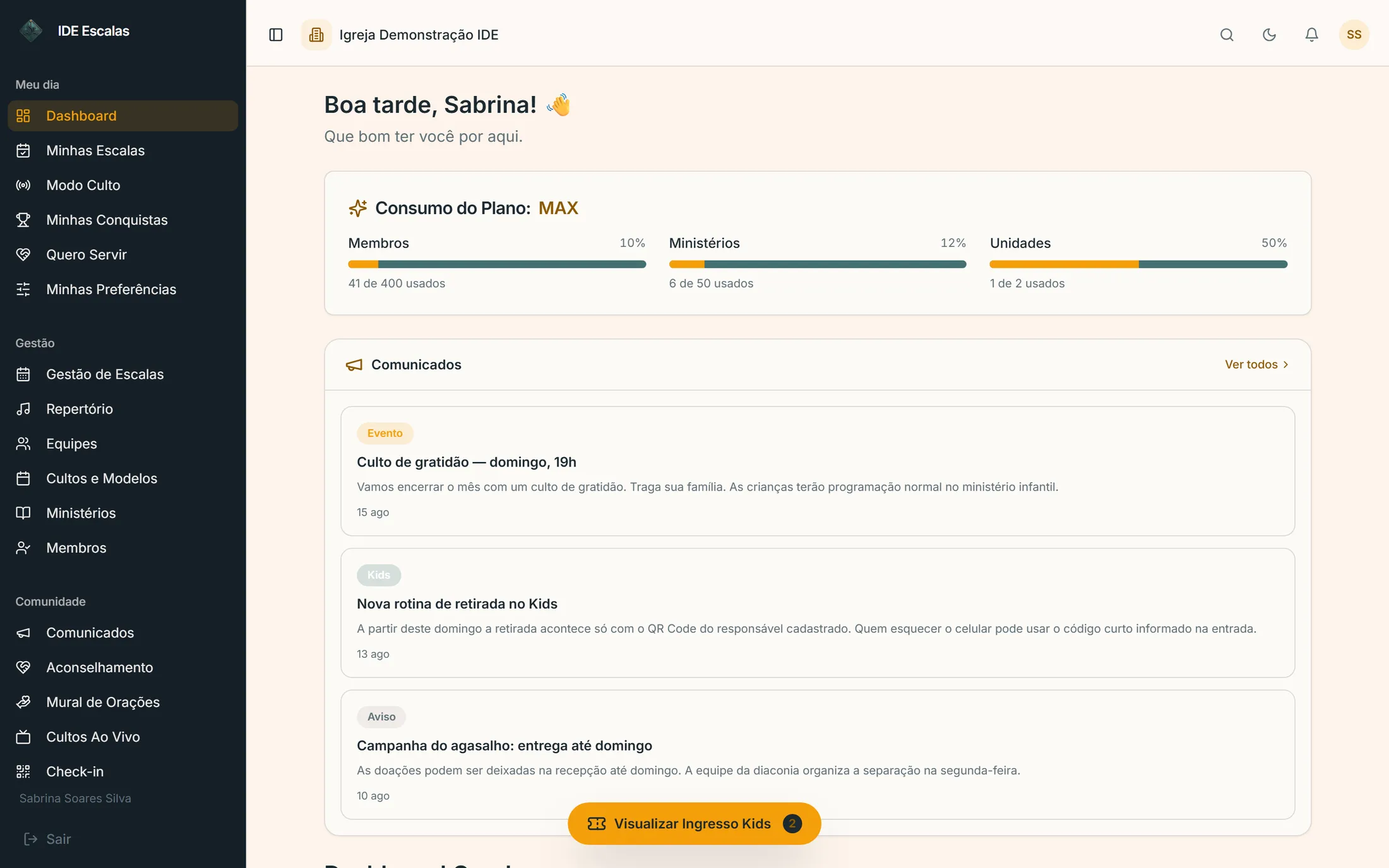
app.ideescalas.com/dashboard
swipe the screen sideways →IDE Escalas screens with demo data.
app.ideescalas.com/kids-operacao
swipe the screen sideways →IDE Escalas screens with demo data.
app.ideescalas.com/membros
swipe the screen sideways →IDE Escalas screens with demo data.
Questions
What church management software needs to have
IDE Escalas is church management software for evangelical churches that brings together volunteer schedules for every ministry, QR code check-in for the kids ministry, small groups and Sunday school classes with attendance, and member follow-up. Leadership uses it in the browser and the church uses the app, on Android and iPhone. Scheduling has a free plan; full management is the Full Management line, priced by team size.
Yes, for scheduling: up to 10 volunteers and 2 ministries use IDE Escalas free forever, with manual scheduling, setlists and the volunteer app. Kids ministry, small groups, Sunday school and members are in the paid Full Management line. Every sign-up starts with 14 days with everything unlocked, no credit card.
Yes. Leadership uses it in the browser, on a computer or a phone, with nothing to install. Volunteers, Kids guardians and members use the IDE Escalas app, for Android and iPhone, at no cost.
Yes. The Schedules Only line covers ministries, services, confirmation in the app, reminders and, on paid plans, automatic rotation and replacement. The Full Management line adds kids ministry, small groups, Sunday school, members, prayer wall and parking. The church can start on one and switch later.
Each church only sees its own data, a child in the kids ministry only leaves with the guardian's QR or code, and sensitive actions are recorded in an audit log. Leadership defines what each person can see and do.
Yes, on the larger Full Management plans: up to 3 or up to 6 campuses under the same account.